
<img height="1" width="1" style="display:none;" alt="" src="https://px.ads.linkedin.com/collect/?pid=1549393&amp;fmt=gif">

What’s changing in
AI and why it matters
for your business

FROM THE AI DESK

Welcome to our November issue!

This month's updates share a common thread: AI tools are getting better at building things, not just describing them.

With GPT-6, ChatGPT can now respond with interactive charts, forms, and calculators instead of only text. Claude is moving in a similar direction with Artifacts and its new Dashboards capability, which can turn connected business data into dashboards through conversation. At the same time, Anthropic and OpenAI have released smaller, lower-cost models that make high-volume work, such as sorting emails or reading invoices, much less expensive to automate.

In our AI in Action, we look at why giving employees access to AI is the easy part, and what leadership teams can do to turn that access into consistent, practical use.

What Changed in AI

GPT-6 Is Here, and ChatGPT Can Now Build Charts, Forms, and Calculators

OpenAI began rolling out GPT-6 to ChatGPT on October 7th, along with a new feature called Intelligent UI. Instead of only writing out answers, ChatGPT can now respond with interactive charts, side-by-side comparisons, forms, and calculators directly in the conversation.

See what GPT-6 can build →


Can AI Build Your Next Dashboard? A Look at Claude's New Capabilities

Imagine asking an AI assistant for sales performance by region and getting an interactive dashboard instead of a written answer. Claude's Artifacts and its new Dashboards capability, currently in beta on supported paid plans, can create interactive tools and dashboards through conversation, including connected data sources.

See how Claude builds dashboards →


Small Models, Big Savings: Why the Cheapest AI Model Can Often Be the Right One

Anthropic released Claude Haiku 5.5 on October 7th, cutting its listed price per token by 90% compared with Haiku 4.5. OpenAI's GPT-6 Luna matches that pricing, and its new GPT-6.1 Terra adds a lower-cost mid-tier option.

Find out when a smaller model makes sense →

AI in Action

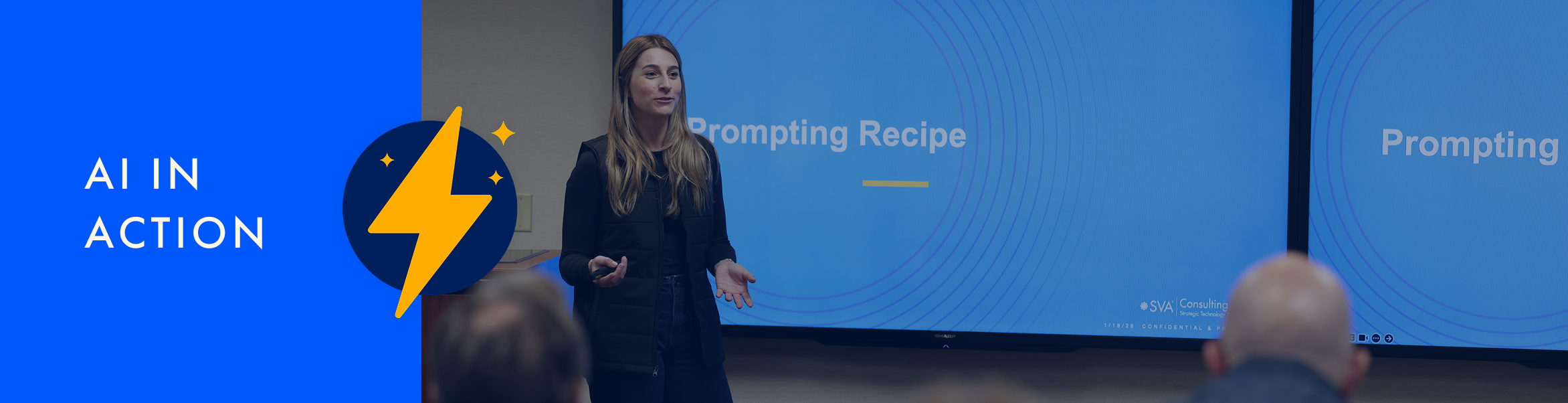
Launching AI Is Easy. Getting Employees to Use It Takes Leadership

Many organizations have rolled out ChatGPT, Copilot, or Claude, only to see usage fade after the initial excitement. Employees aren't sure which tasks to start with, what they're allowed to share, or whether leadership expects them to use AI at all.

This article looks at what helps AI move from a one-time launch to a regular part of how people work: executive alignment on priorities, a clear acceptable use policy, ongoing communication and role-specific training, and measuring adoption by more than the number of licenses purchased.

See how leaders can drive lasting AI adoption →

AI Acceptable Use Policy (AUP)

AI Acceptable Use Policy (AUP)

An AI acceptable use policy, often called an AUP, is a set of guidelines that explains how employees are allowed to use AI tools at work.

A good AUP answers practical questions. Which AI tools are approved? What information can and can't be entered into them? Who is responsible for reviewing AI-generated work before it's used?

For example, a policy might allow employees to use an approved AI tool to draft emails or summarize meeting notes, while prohibiting them from entering customer records or confidential financial information into unapproved tools.

AI built a chart for our board deck. How do we know it's right?

AI built a chart for our board deck. How do we know it's right?

AI can help turn data into clear, compelling charts, calculators, and dashboards. The strongest results start with a solid data layer: trusted sources, consistent definitions, and well-documented calculations.

Think of an AI-generated chart as a useful first draft. Ask it to show the sources, formulas, and assumptions behind the visual. A prompt like “List every data source, formula, and assumption behind this chart” can help you see how the chart was built and whether it reflects what you intended.

A well-managed data layer makes that review easier. When key metrics are clearly defined and data is reliable and organized, AI has a stronger foundation to work from, and people can focus on interpreting the results. For anything shared with leadership, a board, or a client, confirm key figures against your system of record, such as your accounting software, Excel, or Power BI. If teams define a metric differently, align on one definition so everyone is working from the same numbers.


📬 Got a question for next month?

Each month we answer a real question from a real business — anonymously. Wondering something about AI? Submit a question and it might be next month's feature.

Propose a question for next month
SPECIAL INVITATION

Coming Soon: The SVA AI Learning Hub

We're building something new: the SVA AI Learning Hub, a place to learn ChatGPT and Claude at your own pace.

The Learning Hub will offer self-paced, on-demand training organized into short modules, from AI fundamentals and prompting to projects, skills, agents, and more. Each module will include short videos, plain-English explanations, and downloadable resources you can put to use right away.

Before we launch, we're inviting a small group of beta testers to try the courses early and tell us what works, what's missing, and what they'd like to see next.

Interested in being one of our first learners? Contact us today!


Ready to transform your business?

Let’s chat! Just fill out the short contact form and our team will reach out shortly.
CONTACT US
