

| Highlights: |
|
Choosing an AI tool for your company is no longer just a question of “Which model is smartest?” It’s a question of which AI ecosystem best fits how your employees already work, how your data is governed, how much customization you need, and how much risk your organization is prepared to manage.
The four tools many executives compare are Claude from Anthropic, ChatGPT from OpenAI, Gemini from Google, and Copilot from Microsoft. Each can help with everyday work such as writing, summarizing, brainstorming, research, coding, file analysis, and workflow automation.
The differences become clearer when you compare the company behind the tool, the model options, where the tool appears in the employee’s workflow, and what reusable capabilities it offers.
It's Not About Which AI is the Smartest
There may not be one universally best AI tool for every company. A company that lives in Microsoft 365 may find Copilot easier to introduce because it appears inside Word, Excel, PowerPoint, Outlook, Teams, and other Microsoft 365 experiences.
A company that runs on Google Workspace may find Gemini easier to adopt because it appears across Gmail, Docs, Sheets, Slides, Drive, Meet, and related Google tools.
A company that wants a broader AI workspace across many departments may want to compare ChatGPT and Claude closely, especially for research, analysis, coding, custom assistants, file work, and repeatable workflows.
The better executive question is: Which AI tool helps the most employees do better work with the least friction?
Comparison At Glance
Before comparing detailed capabilities, it helps to understand what each platform is, which model options are most relevant, and how employees would actually experience the tool day to day.
Model availability can vary by plan, region, license, and administrator settings, so these should be confirmed during procurement rather than treated as fixed for every organization.
Claude by Anthropic
Claude is Anthropic’s AI assistant and is worth evaluating when a company needs strong support for writing, analysis, document-heavy work, research, coding, and repeatable workflows.
Claude’s model family is organized around tiers such as Fable, Opus, Sonnet, and Haiku. Fable and Opus are the higher-end options to evaluate for complex work, Sonnet is typically the balanced tier for strong everyday professional use, and Haiku is generally the faster and more cost-sensitive option.
Anthropic’s public materials highlight newer versions like Fable 5 and Sonnet 5 as particularly relevant for coding, agents, and advanced professional workflows.
For employees, Claude often feels like a flexible AI workbench designed for structured thinking and output. It is especially strong for writing, document analysis, research, coding, and repeatable workflows.
Features such as Projects, Artifacts, Skills, and tools like Claude Code or Claude Cowork make it well suited for teams that work with long documents, complex processes, or multi-step tasks. It is often a strong fit for legal, marketing, product, and engineering teams that need depth and consistency in their work.

ChatGPT by OpenAI
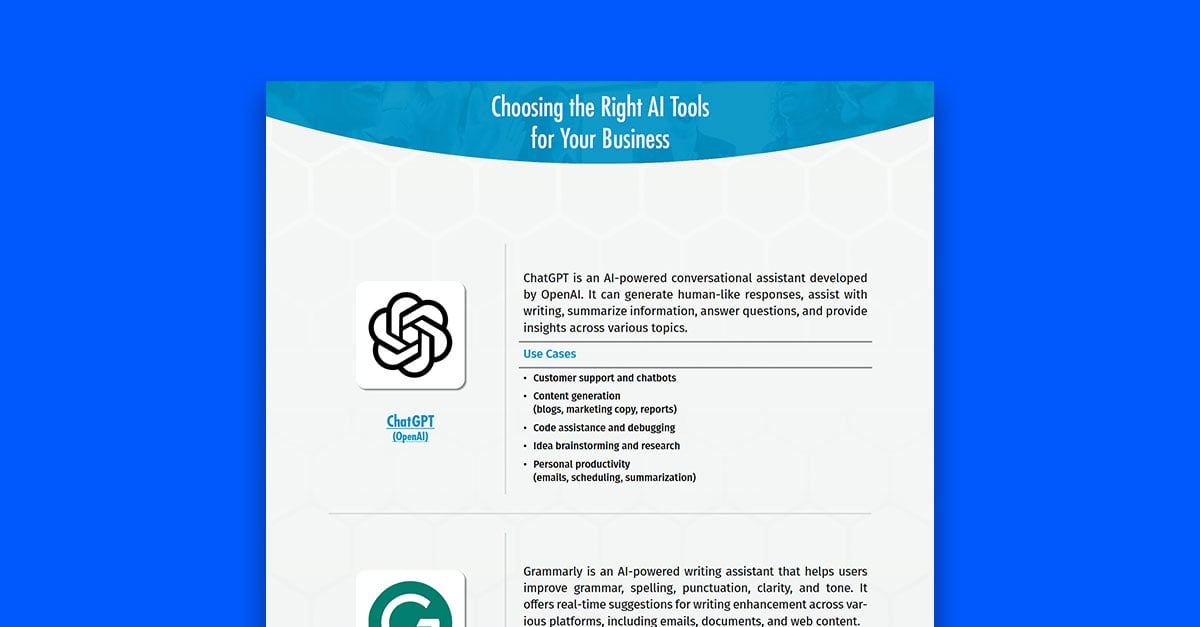
ChatGPT is OpenAI’s AI workspace and may be a strong fit when a company wants one flexible environment for writing, research, analysis, files, data work, coding, custom assistants, connectors, and agent-style workflows across departments.
For model options, the most relevant ChatGPT choices to understand are GPT-5.5 Instant for fast everyday work, GPT-5.5 Thinking for tasks that need more reasoning, and GPT-5.5 Pro for more demanding work where higher performance is available through the user’s plan.
For employees, ChatGPT can feel like a broad AI workspace rather than only a chatbot. Projects help organize related chats, files, and context around a shared objective. GPTs let teams create custom assistants with instructions, knowledge, capabilities, apps, actions, and version history.
Skills can package reusable workflows for more consistent task execution. Scheduled Tasks can support one-time or recurring prompts, and workspace agents can help Business and Enterprise users build repeatable workflows that connect to tools and can be shared with a team or workspace. Employees typically find these through the ChatGPT sidebar, GPT creation areas, Projects, Skills, Apps, Tasks, Agents, or admin-enabled workspace features.

Gemini by Google
Gemini is Google’s AI assistant and is especially relevant for organizations that already use Google Workspace. It may be a strong fit when employees live in Gmail, Docs, Sheets, Slides, Drive, Meet, Chat, Calendar, NotebookLM, and related Google tools.
Gemini’s model lineup includes options such as Gemini 3.1 Pro, Gemini 3.5 Flash, and Gemini 3.1 Flash-Lite. Google positions Pro as stronger for advanced reasoning and complex tasks, Flash as a faster model for agentic and coding workflows, and Flash-Lite as a lower-latency, cost-efficient option for high-volume use.
For employees, Gemini feels most natural when work already happens inside Google Workspace. It is embedded across Gmail, Docs, Sheets, Slides, Drive, Meet, and Chat, and is complemented by tools like NotebookLM for source-based research, Gems for reusable assistants, and Workspace Studio for automation. This makes it a strong fit for organizations that rely heavily on Google tools, where AI can enhance everyday workflows such as email drafting, meeting summaries, document creation, and spreadsheet analysis without requiring employees to switch environments.
Copilot by Microsoft
Microsoft Copilot is best understood as an AI layer across Microsoft 365 rather than a single standalone model family. It may be a strong fit when the company already depends on Word, Excel, PowerPoint, Outlook, Teams, SharePoint, OneDrive, Microsoft Graph, and Microsoft 365 administration.
For model options, leaders should evaluate what is available in their specific Copilot surface. Microsoft has announced GPT-5.5 Instant in Copilot Studio and Copilot Chat experiences, Claude Opus 4.8 in eligible Microsoft 365 Copilot experiences, and Claude Sonnet 5 in Copilot Cowork and PowerPoint. Copilot Cowork documentation also notes that available models can include Claude Opus and Sonnet variants, a Sonnet plus Opus Advisor pairing, GPT 5.5, and Imagen 2, depending on admin settings and environment.
For employees, Copilot feels most natural when work is already centered on Microsoft 365. It is integrated into Word, Excel, PowerPoint, Outlook, Teams, and Copilot Chat, and can connect to organizational data through Microsoft Graph. This allows employees to summarize meetings, draft documents, analyze spreadsheets, create presentations, and search across files within the tools they already use.

Capability Comparison
Combined View Across Productivity, Workflows, and Technical Use
| Category | Capability | Claude | ChatGPT | Gemini | Copilot |
| Everyday Productivity | Writing and editing | Best for polished writing, long documents, and careful editing. | Best for flexible drafting, rewriting, brainstorming, and content creation. | Best for writing inside Gmail, Docs, and Google Workspace. | Best for writing inside Word, Outlook, PowerPoint, and Teams. |
| Document and file analysis | Best for reading, summarizing, and working through large documents. | Best for analyzing files, comparing content, creating charts, and working across formats. | Best when files are in Drive, Docs, Sheets, or NotebookLM. | Best when files are in Word, Excel, PowerPoint, OneDrive, SharePoint, or Teams. | |
|
Meetings & communication |
Good for agendas, notes, summaries, and follow-ups when transcripts are uploaded or connected. | Good for agendas, notes, summaries, and follow-ups when transcripts are uploaded or connected. | Best for Google Meet and Gmail workflows. Assistance directly in the app. | Best for Teams and Outlook workflows. Assistance directly in the app. | |
| Image generation | Can analyze images, but can’t generate | Strong choice for creating images, visuals, and design drafts. | Supports image generation within Gemini experiences and Google tools for visual content creation. | Supports image generation through Microsoft tools and integrations, useful for presentations and visual assets. | |
| Customization & Automation | Custom assistants or reusable helpers | Skills can package instructions, resources, and scripts for repeatable tasks. | GPTs and Skills can package instructions, knowledge, capabilities, and workflows. | Gems can act as reusable custom AI helpers. | Copilot Agents help create assistants inside Microsoft 365. |
| Projects or workspaces | Projects keep related chats, files, and instructions together. | Projects organize chats, files, instructions, and teamwork. | Work is organized through Drive, Workspace, NotebookLM, and Studio. | Work is organized through Teams, SharePoint, OneDrive, Copilot Pages, and agents. | |
| Scheduled or recurring work | Scheduled Tasks support recurring tasks through Cowork. | Scheduled Tasks support one-time tasks, recurring tasks, and condition-based checks. | Scheduled actions can support recurring routines in Gemini experiences, while Workspace Studio can support workflow automation. | Scheduled and automated workflows are often built through Copilot Studio, agents, Power Platform, or Microsoft 365 automation patterns. | |
| Agents and workflow automation | Claude’s Skills, connectors, Claude Code, Claude Cowork, and enterprise search can support repeatable and multi-step work. | Workspace agents let Business and Enterprise users build agents for repeatable tasks and workflows in ChatGPT and Slack. | Workspace Studio and Gemini Enterprise focus on AI-powered workflows and agents grounded in company data. | Copilot agents can be built and used inside Microsoft 365, and Copilot Studio extends agent building further. | |
| Research, Data, & Coding | Research and synthesis | Best for deep reading, structured thinking, and synthesizing documents. | Strong fit for Deep Research, search, file analysis, and connected-app research. | Strong fit for Google Search-connected research, NotebookLM, Drive, and Workspace sources. | Strong fit for Microsoft 365-grounded research across files, meetings, email, chats, and web sources. |
| Data analysis |
Can help interpret data, create files, generate code, and explain results. Pro-tip: try the Claude add-in in Excel! |
Strong fit for spreadsheet analysis, charts, and data explanation. Pro-tip: try the ChatGPT add-in in Excel! |
Strong fit when analysis happens in Sheets, Drive, NotebookLM, or Google’s developer tools. | Strong fit when analysis happens in Excel, Power BI-adjacent workflows, or Microsoft 365 data. | |
| Coding and developer productivity | Claude Code is especially relevant for teams evaluating agentic coding workflows. | Codex and ChatGPT can support coding, code review, debugging, and technical documentation. | Gemini supports coding through Gemini models, Google AI Studio, Vertex AI, Gemini CLI, and developer tools. | Microsoft 365 Copilot supports business productivity. |
How to Choose Based on the End User
A CEO shouldn’t choose by reading a benchmark or picking the newest model name. The better approach is to look at how employees actually work and what kind of AI experience will genuinely improve their day-to-day output.
If employees already live in Microsoft 365, Copilot may feel familiar because it sits inside existing tools, but familiarity alone doesn’t always translate into flexibility or depth of capability. If employees already live in Google Workspace, Gemini may be easier to introduce because it appears in the tools they already use.
If the company wants a more flexible AI workspace that works across departments, tools, files, and custom workflows, ChatGPT and Claude often provide broader capabilities and more room for customization, and in many cases may offer a more adaptable foundation for teams that need to go beyond basic productivity use cases.
The decision should come down to four questions:
- Where does work already happen?
- Which tool gives employees the easiest path to useful output?
- Which platform best supports reusable workflows such as GPTs, Skills, Gems, or agents?
- Which option will employees actually adopt without creating unnecessary friction?
Pricing and feature details reflect publicly available information as of July 2026.
